
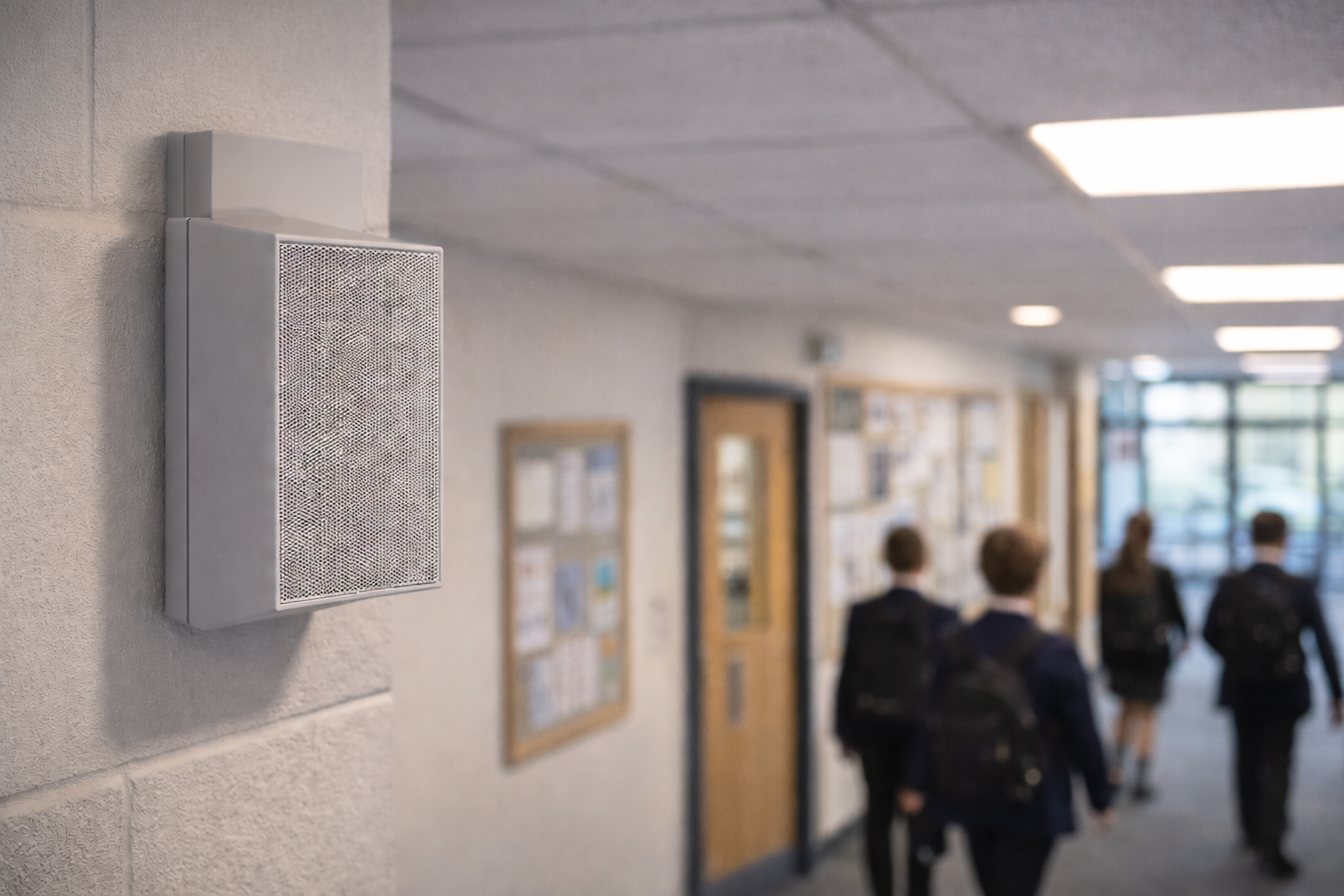
Tempus 360 Lockdown System for Schools
Tempus 360 is a lockdown system for schools and multi-academy trusts, and the evolution of SchoolSafe: one platform for lockdown, public address, timekeeping displays, staff panic alarms with live Bluetooth positioning, and lockdown alerts on every staff computer. SchoolCare installs and supports it.
Martyn’s Law for Schools: the Four Procedures
The Terrorism (Protection of Premises) Act 2025, known as Martyn’s Law, asks schools to be ready if an attack happens at or near the site. Statutory guidance was published in April 2026 and the duties are expected to come into force in spring 2027. Schools that can expect 200 or more people on site at once fall in the standard tier, however many pupils they have. They will need to notify the Security Industry Authority (SIA) and have public protection procedures in place for four situations. A lockdown system for schools is one practical way to carry out those procedures quickly and consistently.
Evacuation
Moving people out by a safe route. Zoned spoken announcements play, exit signs appear on displays and computers, and a live roll call by building lists staff not yet accounted for.
Invacuation
Bringing people in from playgrounds, fields and car parks. Zoned announcements reach outdoor areas, displays inside show “stay inside” instructions, and staff positions show who is still outdoors.
Lockdown
Keeping a threat out and people safe inside. Break glass points, keyswitches and keypads start a partial or full lockdown, and every speaker, display and staff computer shows the same instruction until the all-clear.
Communication
Alerting and updating staff. Messages reach displays, computers, speakers and inboxes, with a record of what was sent, by whom and the outcome. Triggers can be tested without raising a real alert.
Tempus 360 supports your procedures, but it does not by itself make premises compliant with Martyn’s Law. Your plan, staff training and SIA notification remain the school’s responsibility. Our guide Martyn’s Law: is your school ready? explains the duties in more detail.
What’s in Tempus 360
Tempus 360 is the next generation of SchoolSafe, bringing the systems a school uses to warn, guide and protect people into one platform. You only switch on the parts you need.
SchoolSafe PA
Zoned bells, live paging, pre-recorded evacuation, invacuation and all-clear messages, and a lockdown message that cannot be confused with your fire alarm. SchoolSafe PA works with existing 100V speakers, a fully IP system or a mix of both. Find out more about our public address systems.
Tempus LED Displays
Synchronised displays show the time, lesson countdowns, timetables, exam timers, wayfinding and room information. In an emergency every display switches to the same lockdown or fire exit instruction.
Staff and Asset Positioning
Staff wear Bluetooth lanyard alert buttons with three levels: Assistance, Urgent and Medical. Each call shows who needs help and which room they are in. Defibrillators and other key equipment can be tagged too. Read more about location tracking.
Desktop and Screen Alerts
Tempus Agent covers every staff computer with the lockdown instruction and keeps it locked until the lockdown ends. Hall screens and reception TVs switch to the alert, then return to normal afterwards. Tempus Agent runs on Windows and Mac. Everyday messages scroll across the screen without interrupting work.
Tempus Manager and Tempus Cloud
Tempus Manager runs on a compact server in your building and works from a PC, tablet or phone. Viewer, Operator and Admin roles control who can do what. Tempus Cloud is optional and adds remote monitoring, managed updates and support.
EnviroSentry Sensors
Our EnviroSentry vape detection sensors also act as receivers for staff alert buttons, so positioning coverage grows as you add them. They bring air quality, occupancy and room data into the same system.
What Happens in a Lockdown
A lockdown has to reach everyone at once, in the same words. Tempus 360 turns your agreed plan into a sequence that runs the same way every time.
1. Raise the Alert
Start a lockdown from a break glass point, keyswitch, keypad, a staff alert button or Tempus Manager. It can cover one room, one building or the whole site.
2. Your Plan Runs in Order
The steps you agreed in advance run automatically. Lockdown and evacuation override every scheduled bell, message and sign, and Tempus Manager shows where lockdown is in force.
3. Every Device Responds
Speakers play the lockdown message, displays show the lockdown screen, and staff computers, hall screens and TVs show the instruction. A computer that was asleep shows the lockdown as soon as it wakes.
Tempus 360 can also switch lights, sounders and door releases as part of the plan, and logs every switch. It integrates with Paxton door entry and access control, so doors can form part of your lockdown sequence. If the on-site server is unavailable, displays keep running and can still be put into lockdown locally. Faulty triggers and speakers are flagged straight away.
Used Every Day, Not Just in Emergencies
Tempus 360 also runs the school day, so staff use it constantly and know it well when it really matters.
Bells and Timetables
Lesson change bells by zone over SchoolSafe PA, with period and break countdowns on displays. Week A/B timetables, holidays and INSET days are handled automatically, and one-off days such as late starts are easy to set up.
Exams and Messages
Exam timers on displays, and scheduled messages sent to speakers, displays, staff computers or all three at once. Wayfinding signs change at set times and switch back on their own.
Microsoft 365 Calendar
Tag an event in an Outlook calendar and Tempus 360 turns it into a holiday, a scheduled message, a day change or a sign change.
Privacy and Safeguarding by Design
Each staff button sends a low-power Bluetooth signal. Receivers in Tempus displays, EnviroSentry sensors and Tempus BLE Nodes pick it up, and Tempus works out which room each person is in from your own floor plans. Staff do not need an app, phone or radio.
Data Stays on Site
Location is worked out on the Tempus Manager server in your building, and the data does not leave your site. Remote support through Tempus Cloud can be switched off, and every connection is logged.
Private Areas Stay Private
Toilets, changing rooms and treatment rooms can be marked private. Nobody’s position is shown inside them, but a call for help pressed inside still gives that room, so help goes to the right door.
You Decide What Is Kept
Role by role, you decide what is kept, for how long and who can look. Trails and press logs can be live only or kept from 1 day to 2 years, and shortening the period deletes older data straight away.
Every Look Is Recorded
Viewing someone’s trail or the press log is recorded: who looked, at whose, and when. You decide whether operators can see trails at all.
Why Schools Choose Tempus 360
Keep Your Speakers
SchoolSafe PA can bring an existing 100V system into Tempus 360 without rewiring the building, add IP zones where you need them, or run fully IP in new builds.
Runs on Your Network
Devices connect to your existing school network, with no separate alarm cabling between rooms, and are set up on site in minutes.
Licence What You Use
Tempus 360 is licensed per member of staff. Switch on the parts you need and add more later without reinstalling.
Start Small and Grow
You can start with Tempus Manager and desktop alerts for lockdown, evacuation and messages. Buildings, rooms, users and procedures are set up once and reused as you add PA, displays and staff alert buttons.
One View Across Your Trust
Coming soon: multi-academy trusts will be able to see and manage every school from one place through Tempus Cloud.
Installed and Supported by SchoolCare
Tempus 360 is a SchoolCare product, designed and supported in the UK. We survey, install, train your staff and support it afterwards, with software support and updates included as standard.
Already Using SchoolSafe?
Tempus 360 is built on SchoolSafe and fully integrates with existing SchoolSafe deployments, so you keep what you already have. Our install team migrates your existing setup, with no downtime during the upgrade, and we offer competitive upgrade options for existing SchoolSafe schools. Integration with Bodet systems is coming soon. Call us on 0333 358 1333 to talk through your upgrade.
Frequently Asked Questions
Does Tempus 360 make us Martyn’s Law compliant?
No product can. Martyn’s Law does not require specific equipment; it requires reasonably practicable procedures. Tempus 360 helps you carry out and record those procedures, but your plan, staff training and SIA notification remain your responsibility.
Can we keep our existing speakers?
Yes. SchoolSafe IP and hybrid speaker setups are compatible, so you can keep existing 100V speakers, add IP zones or go fully IP. Every speaker is monitored for faults. Integration with Bodet systems is coming soon.
Does it work without the internet?
Yes. Tempus Manager runs on a server in your building and alerts travel over your local network. Tempus Cloud is optional, and safety-critical decisions are always made on site.
How do staff alert buttons protect privacy?
Location is worked out on your own server, private areas never show anyone’s position, and every look at a trail is recorded.
Can we start small?
Yes. Licensing is per member of staff, and you can start with desktop lockdown alerts on staff computers and add triggers, staff alert buttons, SchoolSafe PA and displays later, using the same Tempus Manager.
How does the lockdown alert differ from the fire alarm?
The lockdown is a spoken message, designed so it cannot be confused with your fire alarm, backed up by lockdown screens on displays and computers. SchoolSafe PA works alongside fire alarms and BS 5839-8 voice alarm systems.
See Tempus 360 in Action
Book a demo with SchoolCare or call 0333 358 1333. For full product details, visit tempus360.co.uk.
Ready to Transform Your School’s ICT?
Contact us today for a no obligation quote. Our team of experts are ready to help.